
Better No-Coder #1: Tech-up!

TLDR:
Importance of tech knowledge (programming principles, database design, security aspects) in no-code development
DB modelling & diagramming tools
Native apps from Bubble, WeWeb product roadmap and Xano real-time support
Even if it’s no-code, it’s about the technology
The thing with no-code development is, that many people think it doesn’t require tech knowledge. There is a part that I agree and a part that I disagree with:
Yes, no-code lower the entry barrier for app development, allowing more people with less tech background to build web and mobile apps
No, I don’t believe you can build complex & scalable app without prior tech experience
When I talk to people who understand programming, I’m usually comparing the no-code development to just another layer of abstraction of programming language.
It goes from 0/1s → low level programming languages(assembly) → medium-level (C) → high-level (JavaScript) → Frameworks ….aaaand here we go: → low/no-code development
So the from development perspective, it’s the same as programming with just much higher level of abstraction. That’s why I believe tech knowledge is equally important for no-code developers, if their goal is to build more than small & simple apps.
What should I learn?
Let’s say following list might be a good starting point: (let me know if you’re interested in more detailed post focused only on this topic)
Programming principles
The same principles that are applied in traditional programming can be applied in no-code development.
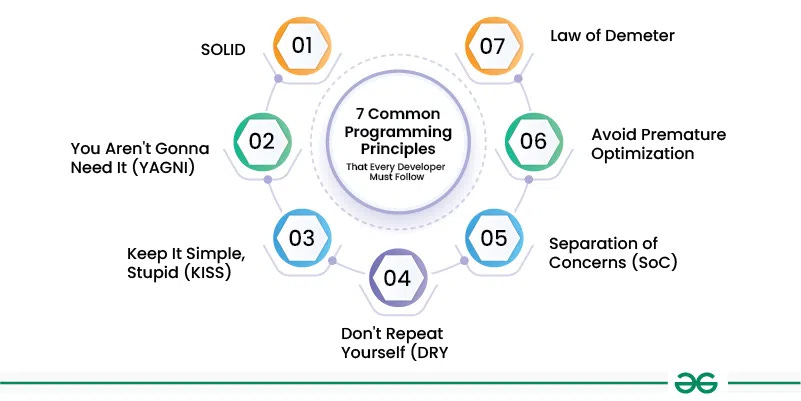
When you google this keywords, you’ll get plenty of results so I will highlight those that I think are most relevant in no-code development
KISS - Keep it simple, stupid
DRY - Don’t Repeat Yourself
SoC - Separation of Concerns
Database design
Real-life story: We took over a Bubble project that was developed by other agency. What we found out was that translations in DB were stored in a way that EACH TRANSLATION WAS A SINGLE DB FIELD (>1000 DB fields)
If you’re not sure what’s wrong about this, I truly recommend to start digging into some database modelling articles & courses.
This article should be definitely a good start with some basics of database modelling.
Why it’s useful to have at least basics of database modelling?
You’ll be more productive, because it’s easier to work with well-designed database
You can optimize the performance of your app
In some cases, it can help to make your app more secure
In next part, I’ll provide few recommendations for some DB tools to help you with DB design.
Networking Fundamentals & Browser’s DevTools
When you are working with almost no-code platform, you want to know the thing called “DevTool”.
It’s where all the magic happens and it’s a place that will help you o debug A LOT of your issues much faster.
Learn to read the DOM structure
Try to understand networking tab and how browser communicates with (not only) your back-end
Performance tab will help you to optimize the loading of you app (although in some no-code platforms, you don’t have a lot of control about this)
Security
Do you know why storing auth token as non-HTTPOnly cookie is sometimes not secure? Or what’s the difference between authentication and authorization? Or why it is a really bad idea to expose your Stripe secret token in browser? (instead of using it on back-end)
There are a lot of things that you should know and it doesn’t make sense to include them all here.
Instead, ask GPT: write some basics about security for web apps: 500 words max
This will be a great starting point for you.
Some tools you should have a look at
First part was focused on how to improve your tech-skills by digging deeper in specific tech topics. Now let’s have a look which tools can be helpful for you:
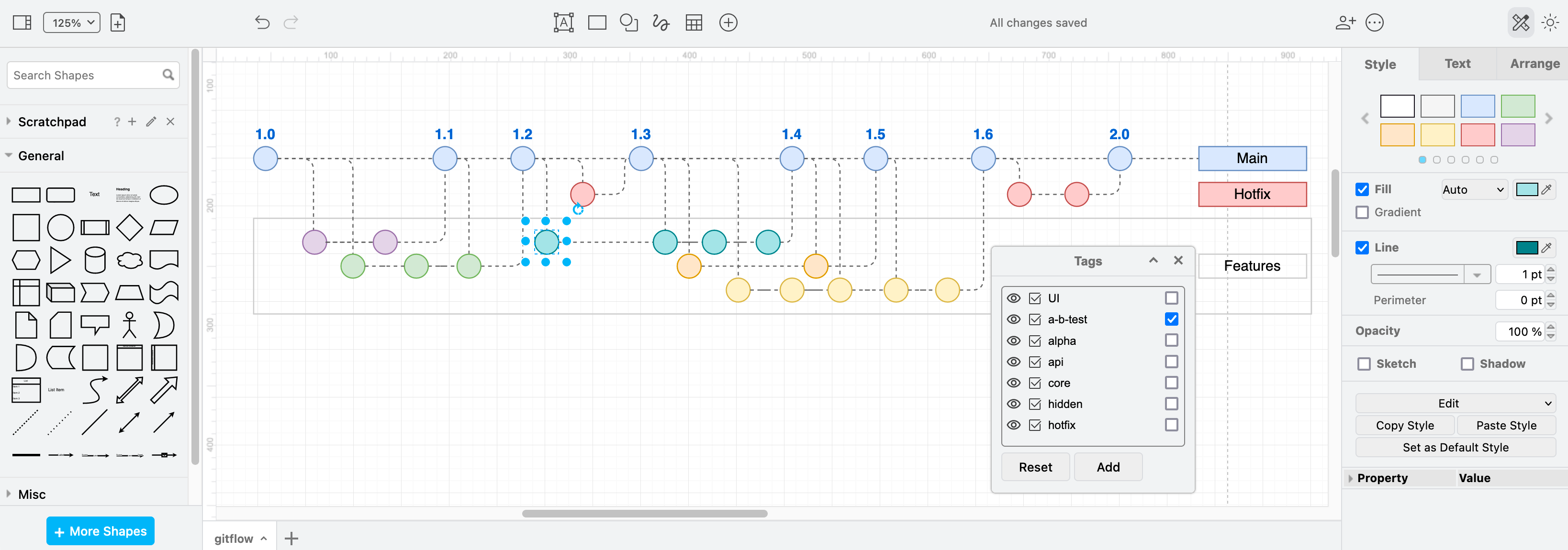
Draw.io
This tool is great for flowcharts, wireframes, UML diagrams, organizational charts, and network diagrams. Remember, it’s 5x efficient to solve complex problem by thinking and writing it down first, before you’ll start creating bunch of workflows, functions, elements.
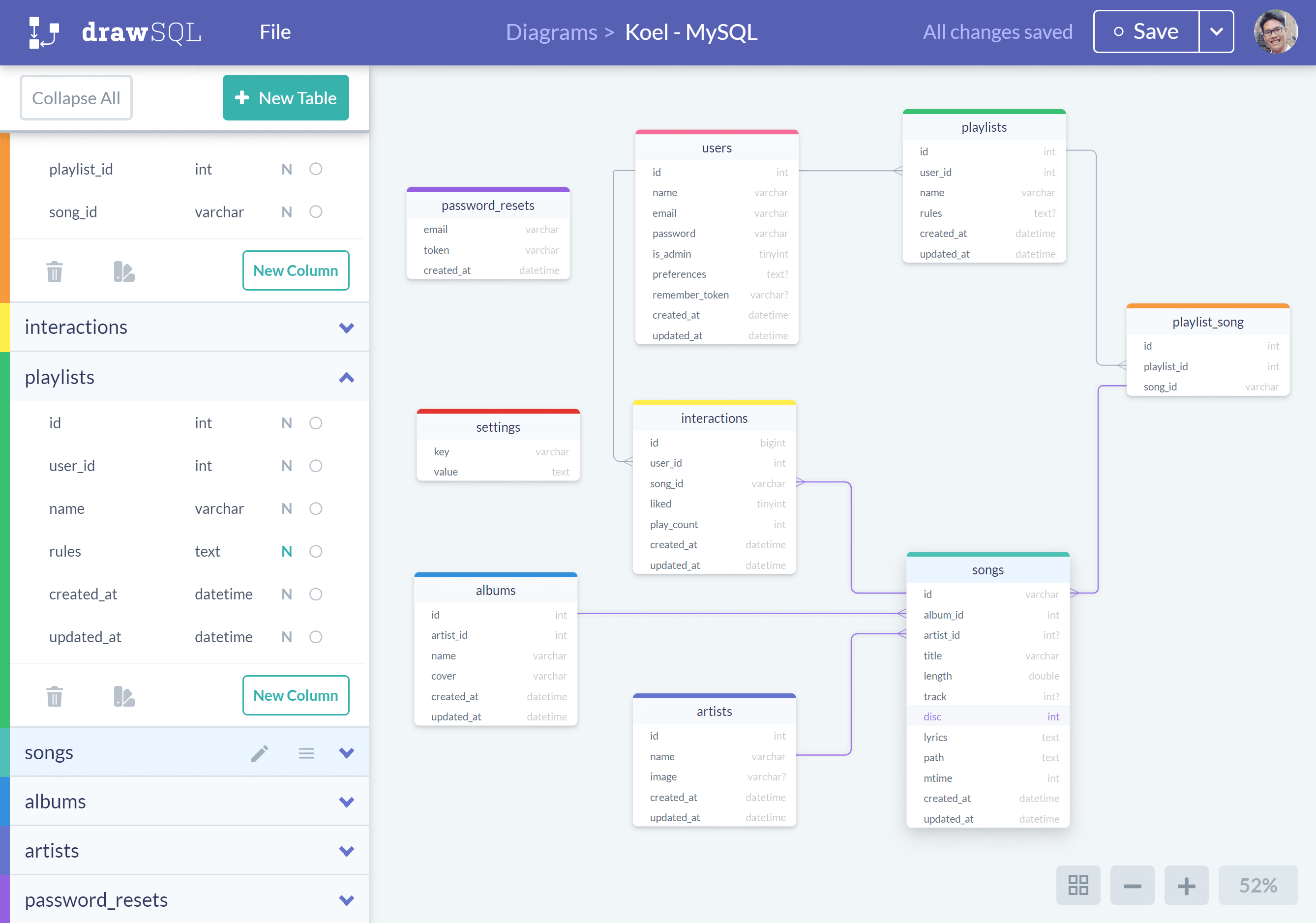
drawSQL
The same as above, but instead for the database design. I know - it doesn’t make sense to use such tool if you are creating an app with 3 DB tables. But once your app is more complex, you might want to design it first in the database diagramming tool.
What’s happening in No-Code ecosystem?
Bubble native mobile apps
I know, Bubble announced support for building native mobile apps quite some time ago, but this will be a major thing in no-code ecosystem. Bubble is currently one of the most widely used no-code app builder and we probably agree that for past 12 months there haven’t been many major product updates. However I am very excited to see once the support of native mobile apps will be released.
In the meantime, you can join the waitlist here.
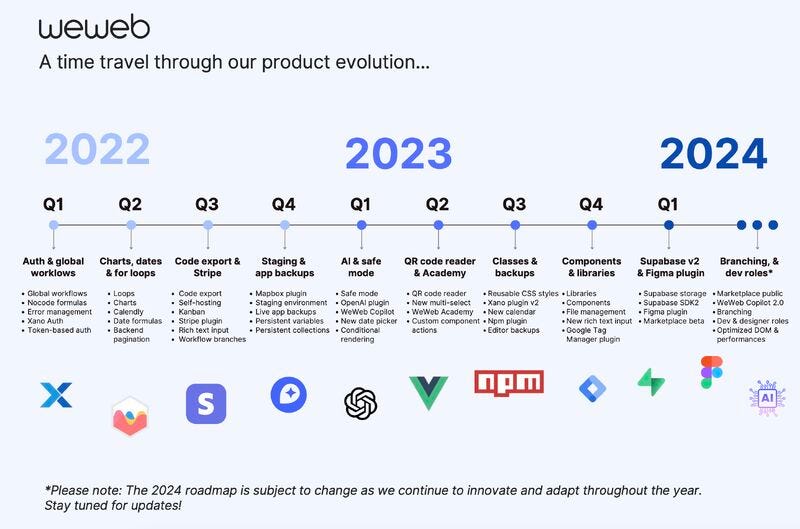
WeWeb ‘24 roadmap
Me and the QikBuild team have been working with WeWeb for quite some time and it’s currently our #1 platform to build complex web apps. (pairing with Xano and Supabase)
I’m really looking forward to see new features that will bring WeWeb to next-level. (marketplace, Copilot 2.0, branching and performance optimization)
Xano supports real-time (WebSockets)
This is one of long-awaited feature that Xano finally released. (first DB triggers, now support of WebSockets)
For those who don't know what am I talking about - WebSocket protocol allows you to have two-way communication between client(browser) and the server (Xano)
That means you don't need to call server APIs from browser to fetch the latest data, you can just wait for them.
Use-cases for real-time two-way communication:
- messaging features (chat)
- collaborative editing (e.g. document editing like in Google Docs)
- notifications
- social network - new post, new comment, new interactions
and many more.
Thank you for reading :)
In case you have any feedback how to make this newsletter better, let me know at better-nocoder@qikbuild.com.
